ONGOING WORK
Practice improves when you can see what actually happened in the swing — not only feel. I’m building menkelabs/camera_recorder: a Python app that records synchronized dual USB cameras and runs MediaPipe pose analysis so a session can go from capture to metrics without a separate desktop tool chain.
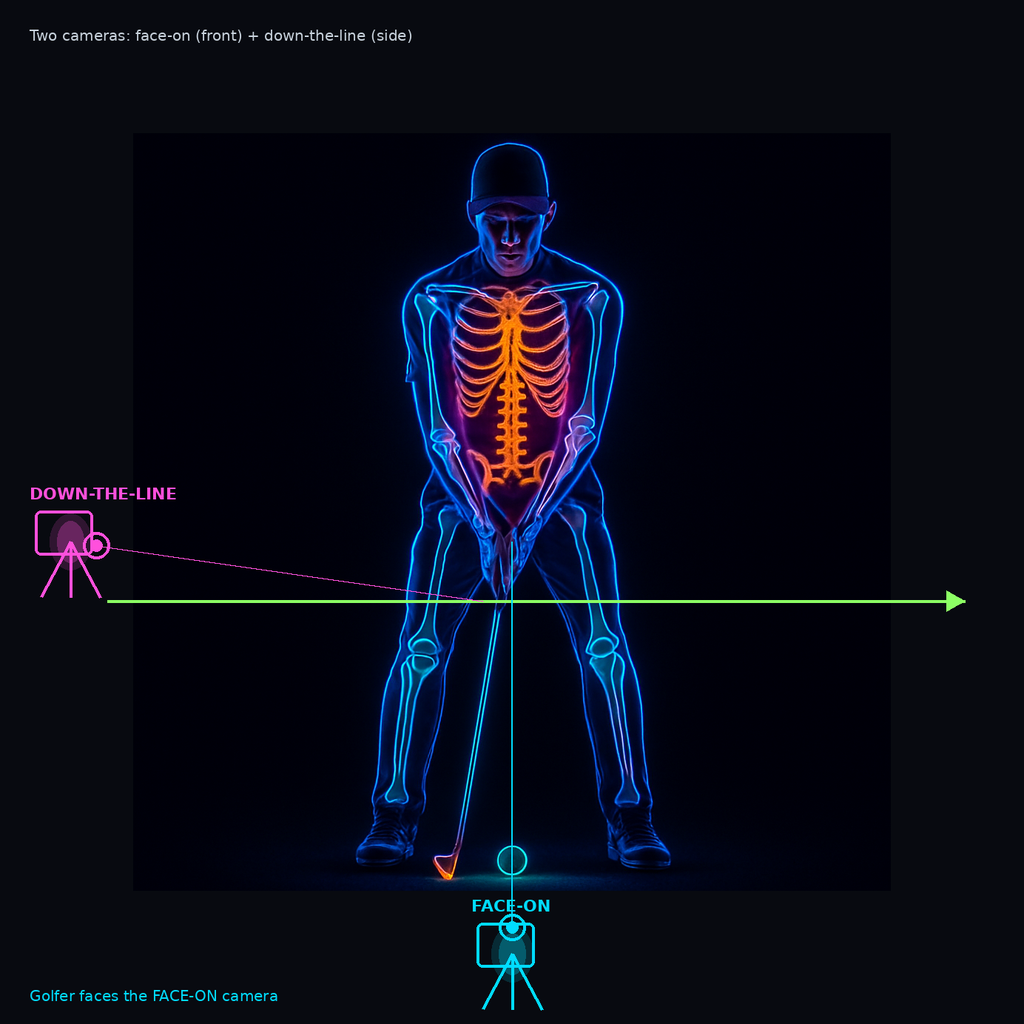
Two cameras: face-on in front (golfer faces this lens) + down-the-line along the target line.
What it is
A Flask web GUI (browser at localhost:5000) for configure → record → analyze → compare → archive. No heavy desktop UI stack: live MJPEG previews, property sliders, and tabbed workflow on Windows and Linux.
- Dual capture — two USB cameras, threaded per-camera streams, high frame-rate recording target (up to ~120 FPS when the hardware allows).
- Camera roles — Face-On vs Down-the-Line; labels and scoring follow the role you assign.
- MediaPipe biomechanics — pose detection with metrics across rotation (shoulder/hip turn, X-factor, tempo), position (sway, spine), and body (lead arm, knee flex, weight shift).
- Swing phases — Address through Follow-through, with frame navigation and phase overlay on the charts.
The practice loop
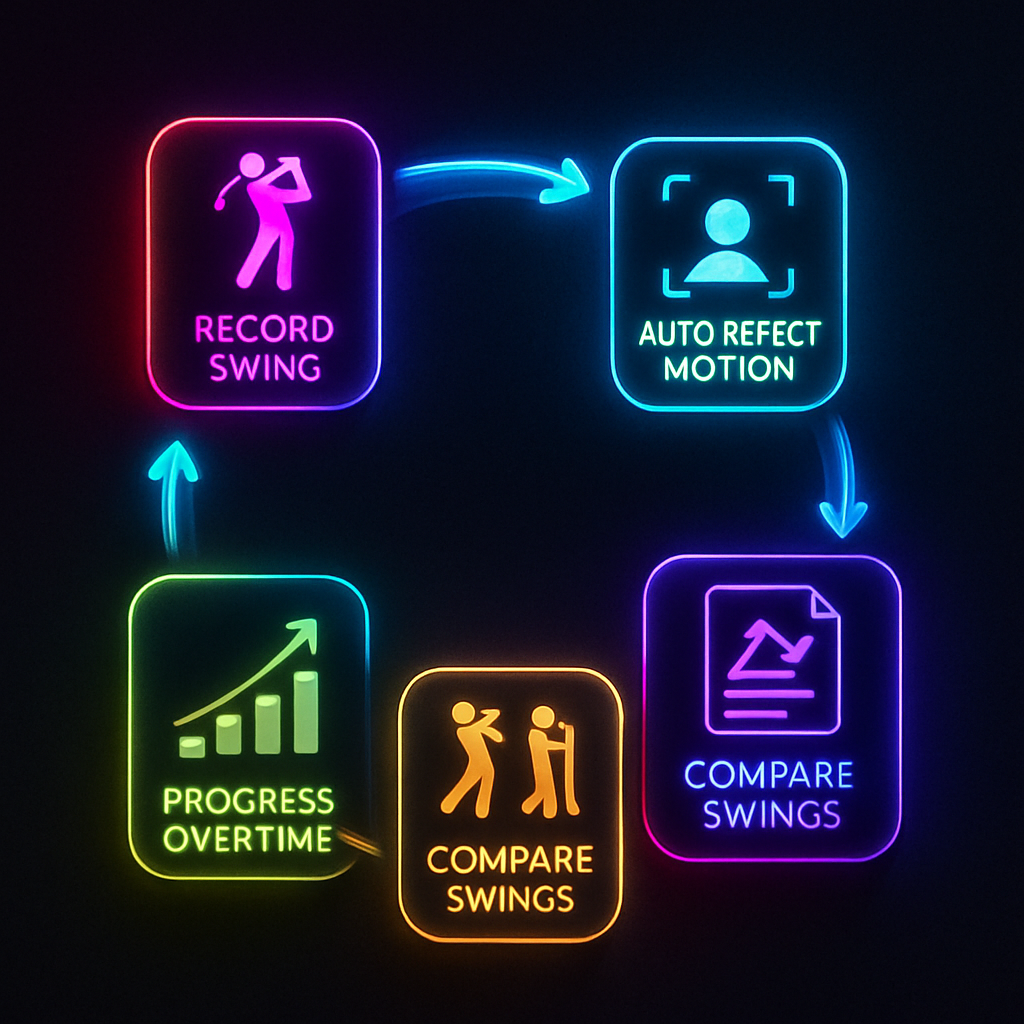
Armed → record → analyze → review → next swing.
The interesting part is not a single recording — it’s the loop that keeps you in the bay:
- Auto swing detection — optional hands-free start/stop from real-time shoulder-turn monitoring (lightweight MediaPipe path while armed).
- Analysis playback — side-by-side annotated face-on + DTL panels, pose skeleton, speed control, low-memory JPEG frame store.
- Score + drills — 0–100 / A–F from the same good/ok ranges as the metric cards; strengths, focus areas, suggested drills.
- Compare — any two swings, delta cards, normalized timeline overlay; pin a reference “golden” swing.
- Progress — trends across sessions; favorites and practice notes on recordings.
- Archive — push sessions to an external disk with space/status in Settings.
Session mode is meant for continuous practice: stay armed, capture, review, go again — without restarting the app.
Where it stands
This is ongoing. The repo is public and usable for dual-cam practice and analysis today; the feature surface is already wide (checklist, USB bandwidth warnings, metronome, report/clip export). Expect rough edges, hardware-specific camera quirks, and iteration on scoring and detection thresholds.
Quick start from the repo:
pip install -r requirements.txt
python scripts/flask_gui.py
# open http://localhost:5000
Lower-end machines can drop MediaPipe complexity (--model-complexity 0) for faster analysis.
Why I’m writing this now
Same theme as other recent posts: keep the larger concept moving, and close the gap to working code. Here the concept is a local practice instrument — dual views, pose metrics, comparison over time — owned in a small Flask + OpenCV + MediaPipe stack rather than waiting on a full product surface.
Follow along at github.com/menkelabs/camera_recorder. More as the loop hardens.
— John · jmenke.blogspot.com

No comments:
Post a Comment